Security & low-voltage design software
From floor plan to signed proposal
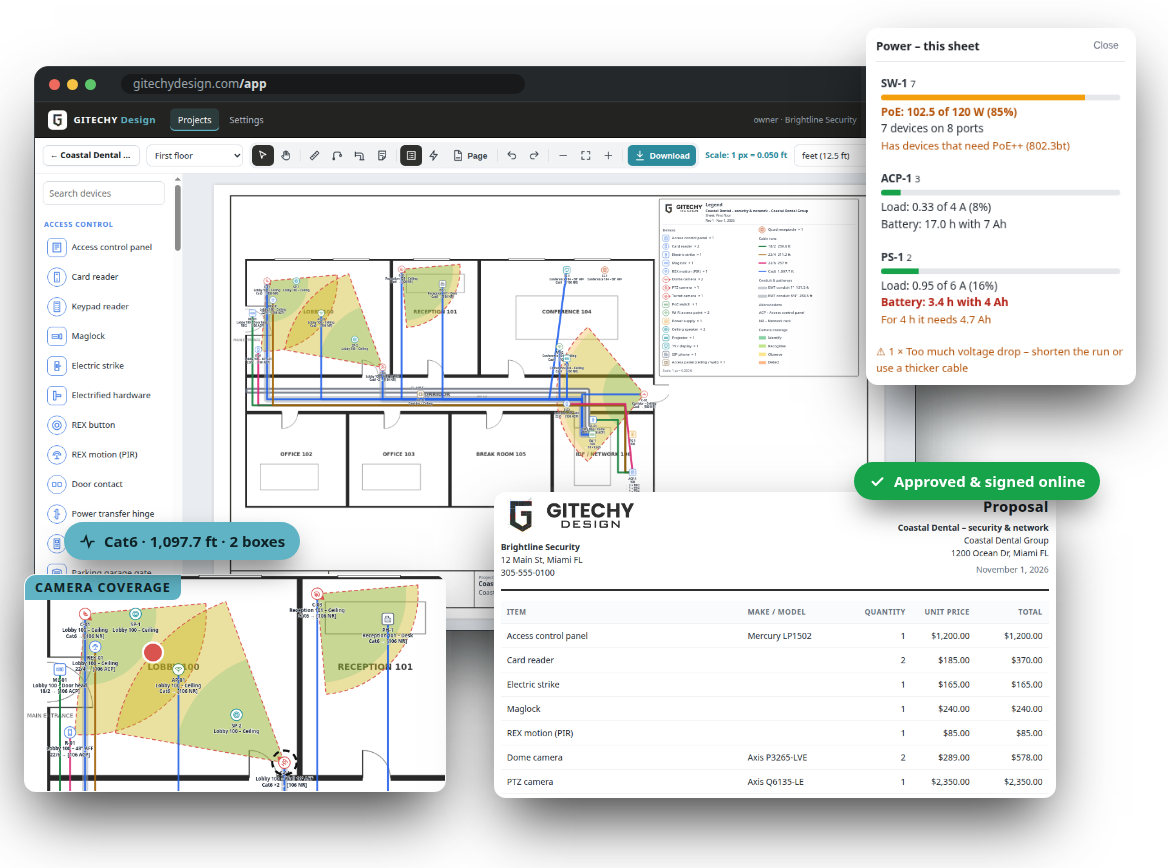
Place cameras, doors, network, AV and electrical gear on the customer’s floor plan, draw the cable and conduit runs and let GITECHY Design do the math – cable lengths, conduit, PoE budgets, power supplies, batteries and camera coverage. Then send a proposal with the parts list that the client approves online. One flat price per company, unlimited designers.
Works in the browser on computers and tablets · English and Spanish · nothing to install
Sound familiar?
Most security integrators lose hours on every quote in the same places.
Marking up PDFs by hand
Symbols copied from job to job, counts done by eye, and a legend that is never up to date.
Guessing cable
Lengths measured with a ruler on the screen, then 20 % added “just in case” – or a run that comes up short on site.
Power surprises
A PoE switch that runs out of budget, or a power supply too small for the locks – found during installation.
Retyping into a quote
The same devices typed again into a spreadsheet or quote, with a different count than the drawing.
Everything for the design and the quote
Six parts that work together – from the uploaded floor plan to the signed proposal.
Floor plans & devices
Upload the PDF or image, set the scale once and drag cameras, readers, locks, sensors and network gear onto the plan.
Cable runs & lengths
Draw each run from the device to the closet. Lengths include drops, service loops and slack – totals per cable type and boxes.
Conduit & pathways
EMT, PVC, rigid, flex, raceway or tray – drawn as pipes with trade sizes, priced per foot with labour, plus sleeves, pull boxes and access panels.
PoE & power budgets
Switch PoE budgets, power supply loads, battery hours and voltage drop – checked while you design, with warnings.
Camera coverage
Field of view on the plan with identify, recognise, observe and detect distances from the lens and resolution.
Proposals & parts list
Parts list with your prices and labour, door and camera schedules, and a proposal the client approves online.
Labels, legend & PDF
Labels that read like a spec (D-01 · 103 – 18″ AFF · CAT6 → [MDF NR]), a legend that fits, a title block with your logo and every sheet as one PDF.
How a job works
1
Upload the floor plan
A PDF (every page becomes a sheet), PNG or JPG. Set the scale with one line over a known length.
2
Place the devices
Drag cameras, readers, locks, sensors, switches and power supplies from the palette. Add make, model and watts.
3
Draw the cable runs
Click the device, the corners and the closet. Lengths, PoE and power loads update as you go.
4
Send the proposal
Parts list with your prices and labour, schedules and the drawn plans – the client approves and signs online.
Catch power problems before the install
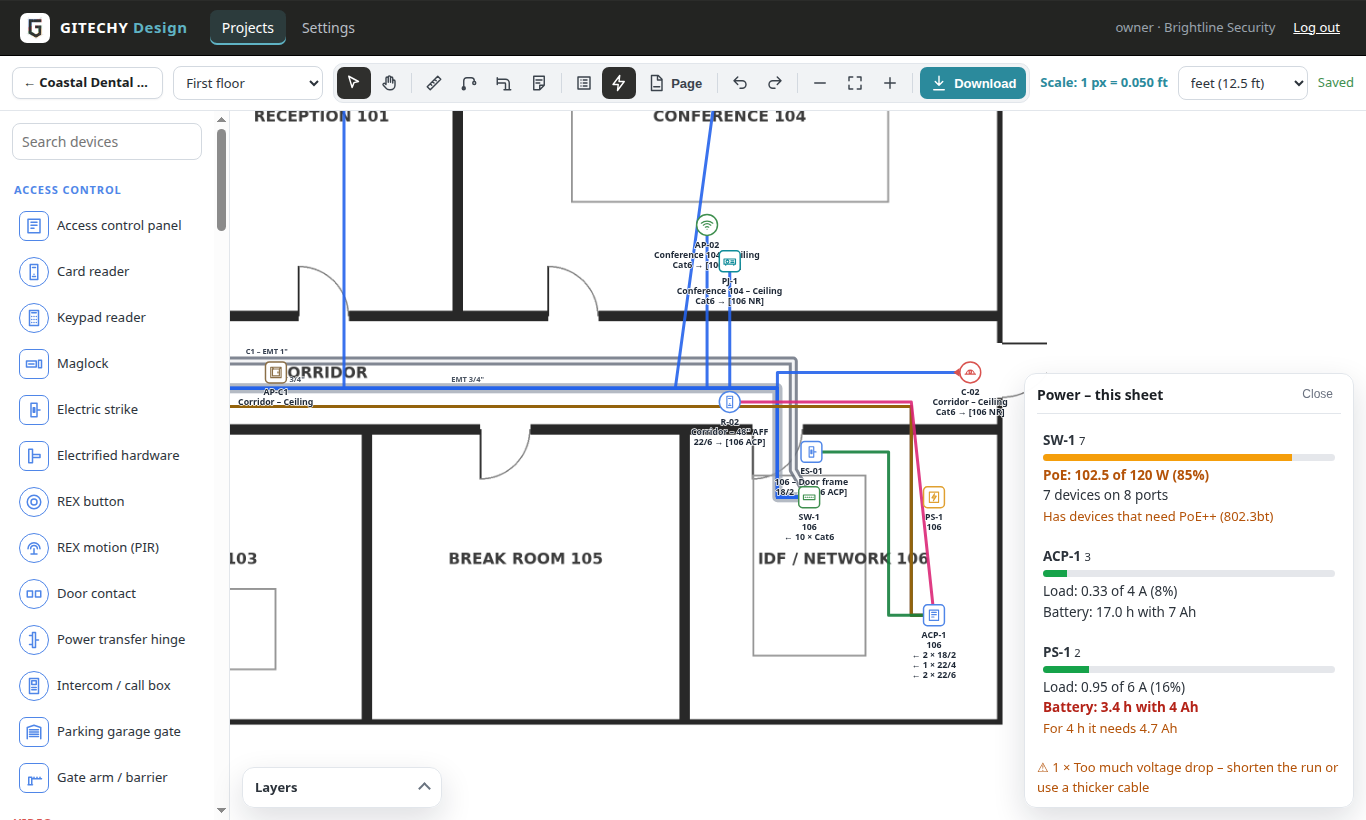
Every switch and power supply shows its load while you design. GITECHY Design knows which devices need PoE+ or PoE++, how long the battery lasts and where the voltage drop is too high.
- PoE budget per switch, with the 80 % rule
- Power supply load and battery hours (e.g. Altronix, LifeSafety Power)
- Voltage drop per run from the wire gauge and length
Sheets ready to print
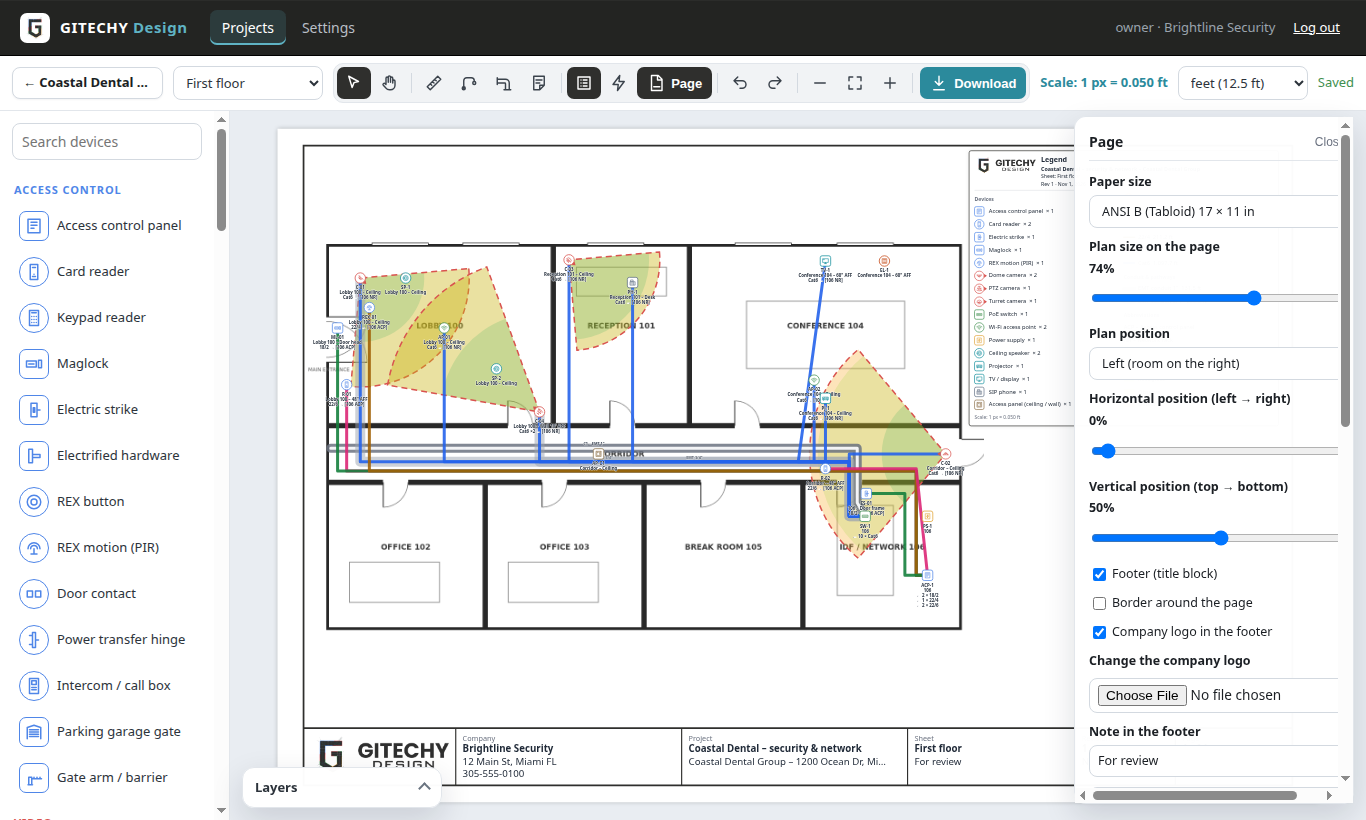
Standard labels, a legend that fits, your title block and logo – on ANSI or ARCH paper, every sheet of the project in one PDF.
- Labels: D-01 · 103 – 18″ AFF · CAT6 → [MDF NR]
- Drag and resize the plan on the page
- All sheets in one PDF at 250 dpi
Questions
Do I pay per designer?
No. Every plan is a flat price per company with unlimited designers and viewers. Plans differ in new projects per month, sheets per project and storage.
What files can I use?
PDF floor plans (each page becomes a sheet), PNG and JPG – the plans you already get from architects and customers.
Is it CAD?
No – it is made for security and low-voltage design on top of existing plans: devices, cables, power and proposals. You do not draw walls.
How do I start?
Choose a plan. Your account is ready right after payment – we email you the link to set your password.
Design faster, quote with confidence
Starter $39 · Pro $79 · Business $149 per month – unlimited designers on every plan.